
Payroll deductions, calculated in seconds
Estimate CPP, EI and income tax withholdings for your employees, using the CRA payroll deduction formulas.
Calculator features
Every figure, for every province
Pick a region, enter what you pay, and see the deductions for the period — worked out with the CRA payroll-deduction formulas.
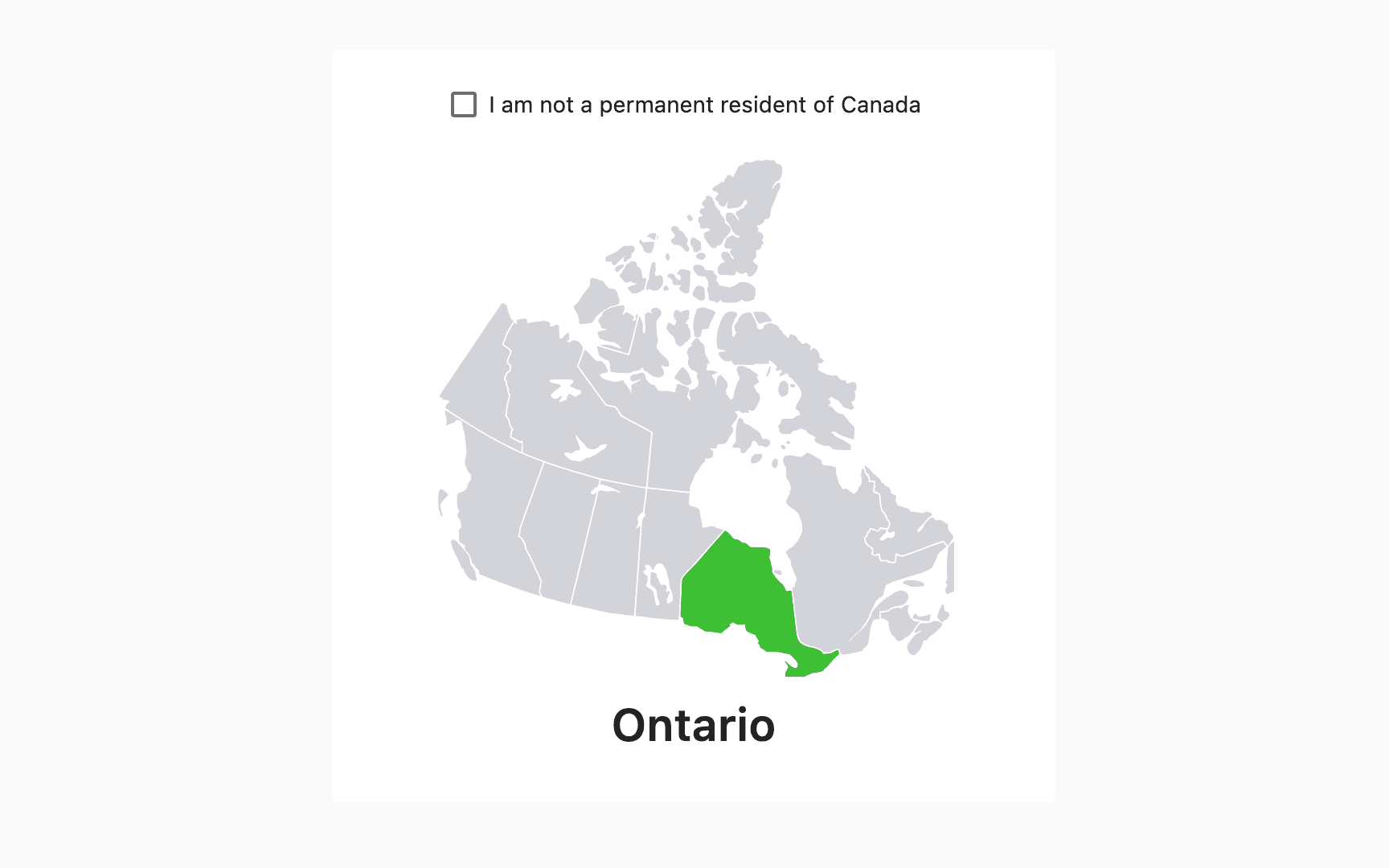
Start from the map
Click your province or territory and the calculator reloads that region's rates, brackets and credits.
All thirteen provinces and territories are covered, each with its own rules — the Ontario surtax and health premium, the British Columbia tax reduction, the Alberta supplemental credit, the Yukon employment amount. Paying someone who is not a resident of Canada? Tick the box and the additional federal tax applies instead.
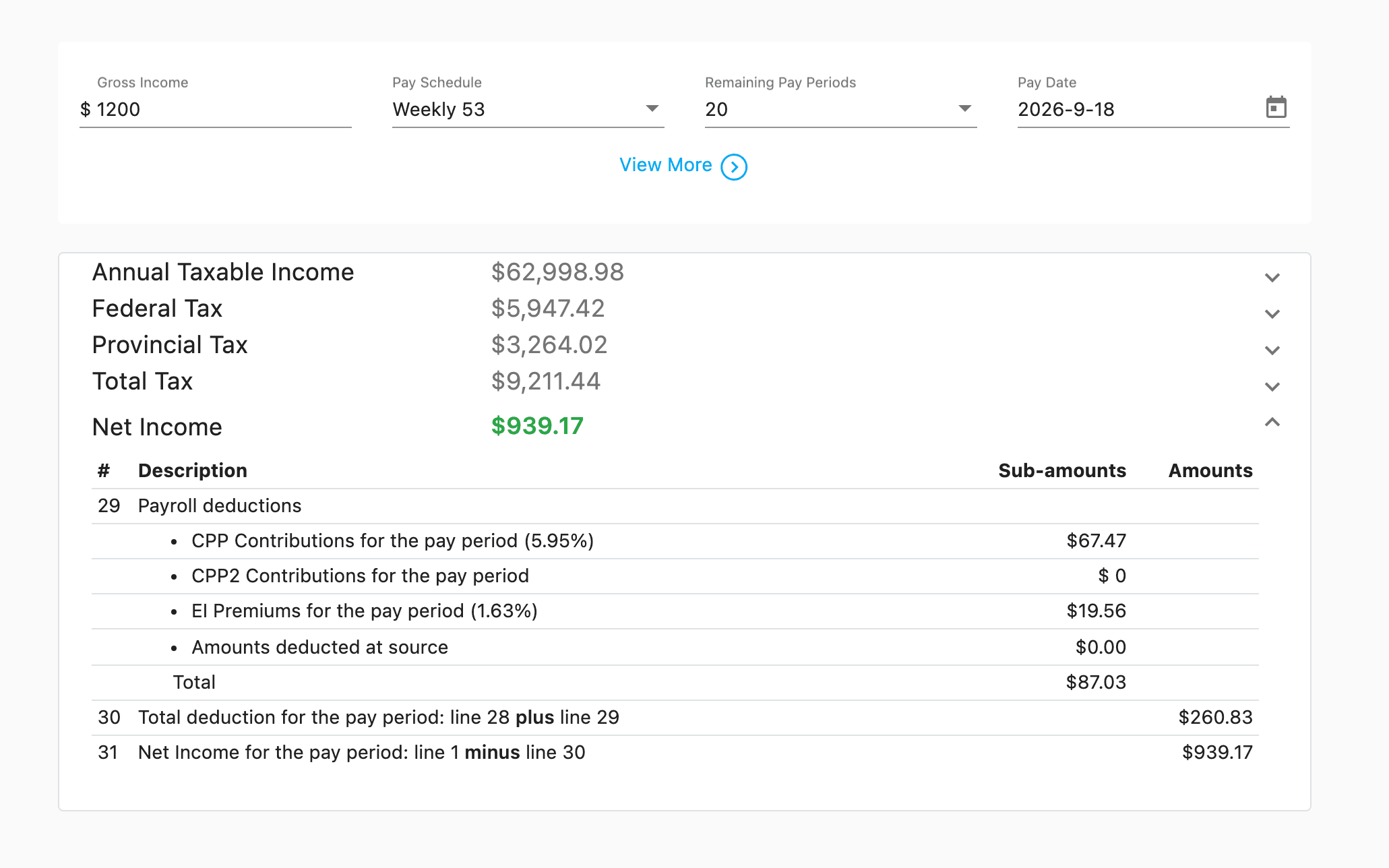
Answers as you type
Enter the gross income for the period and the figures settle immediately — CPP or QPP, EI, and federal and provincial income tax.
Choose from fourteen pay frequencies, from hourly and daily through weekly, biweekly, semi-monthly and monthly to quarterly and semi-annual, including the 53-week and 27-period years. Set the remaining periods when you start mid-year.
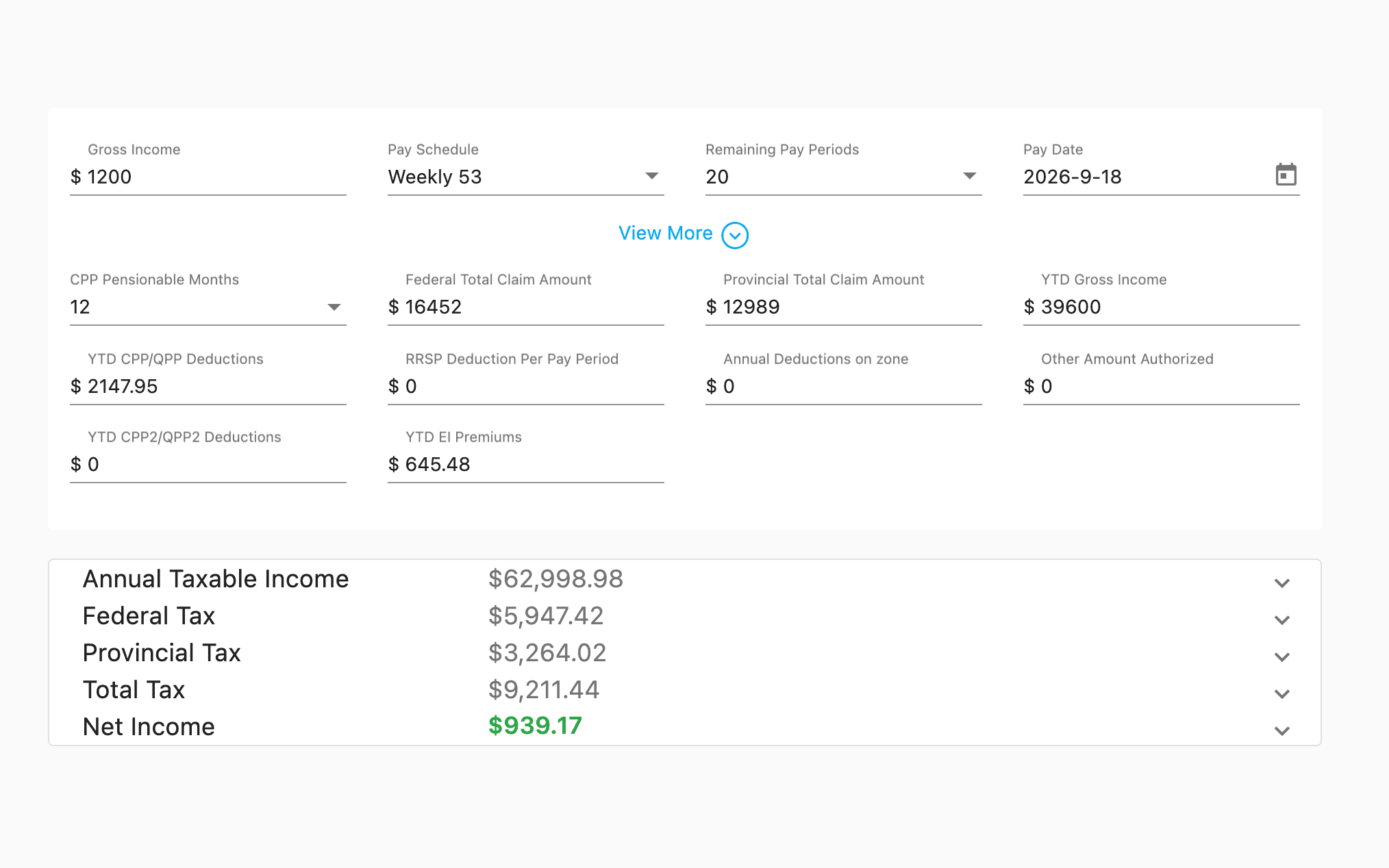
Your employee's actual situation
Federal and provincial claim codes, year-to-date earnings and contributions, RRSP deductions, prescribed-zone amounts and other authorized deductions all feed the result.
Year-to-date CPP, CPP2 and EI figures stop the calculator from withholding past the annual maximums, so a pay period late in the year comes out right.
Quebec, on its own terms
Quebec is not the federal calculation with a different rate. QPP replaces CPP, QPIP premiums are withheld, the federal abatement is applied, and provincial tax follows the TP-1015.F formulas.
The Quebec-specific EI rate is used too, and the worker deduction is capped at its annual maximum.
Built on the CRA's own formulas
The calculator follows the T4127 Payroll Deductions Formulas guide — the same computer formulas the CRA publishes for payroll software.
- 13
- Provinces and territoriesEvery region, plus a non-resident option that applies the additional federal tax.
- 14
- Pay frequenciesHourly and daily through to semi-annual, including 53-week and 27-period years.
- 2
- Editions a yearThe T4127 guide is reissued each January and July. Set the pay date and the matching edition is used.
- 3
- Statutory deductionsCPP or QPP with its second additional tier, EI or QPIP, and income tax.
It shows its work
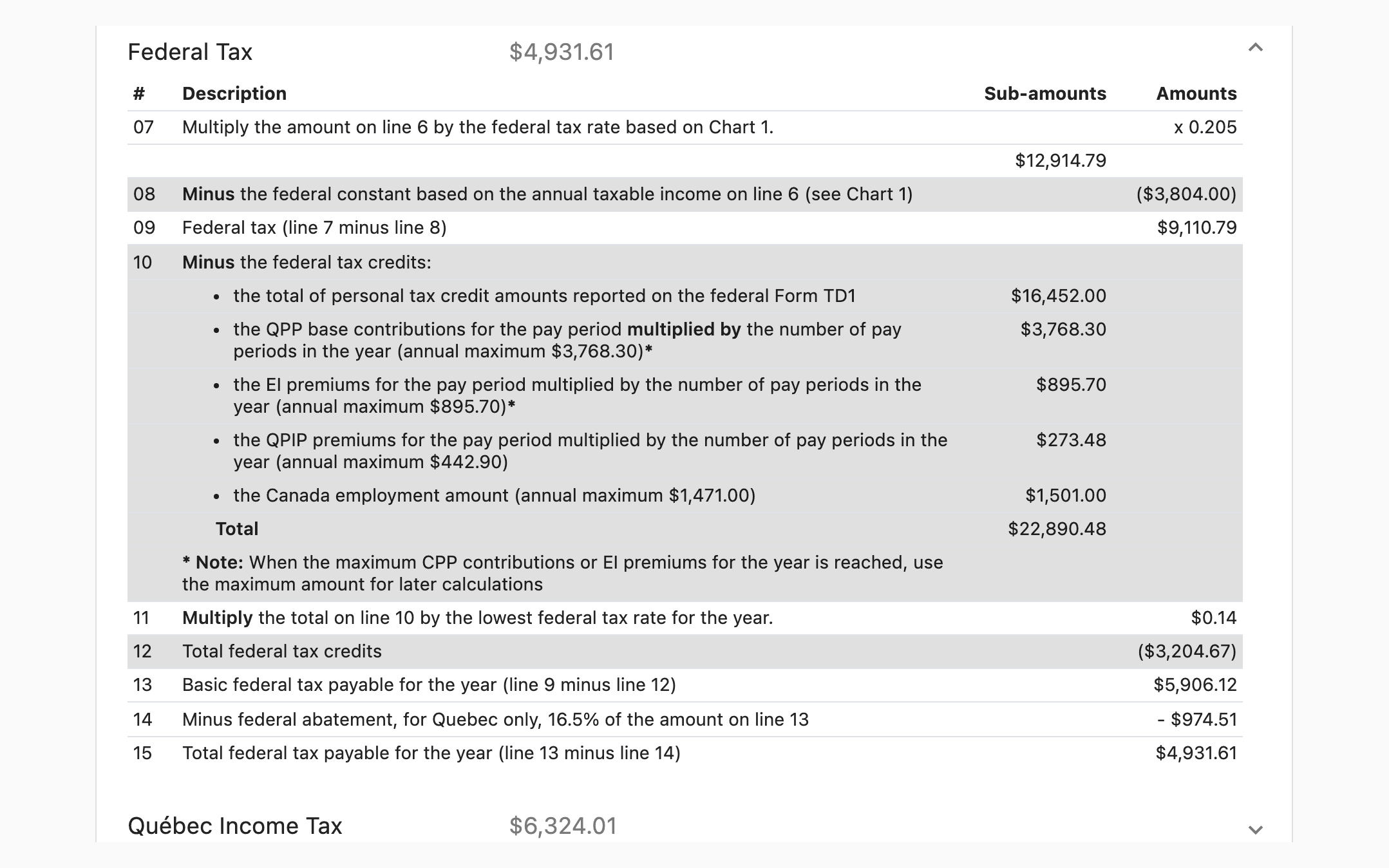
Most calculators hand you a number. This one lays out the whole computation, line by line, in the same order as the guide — so you can follow it, check it, or explain it to someone else.
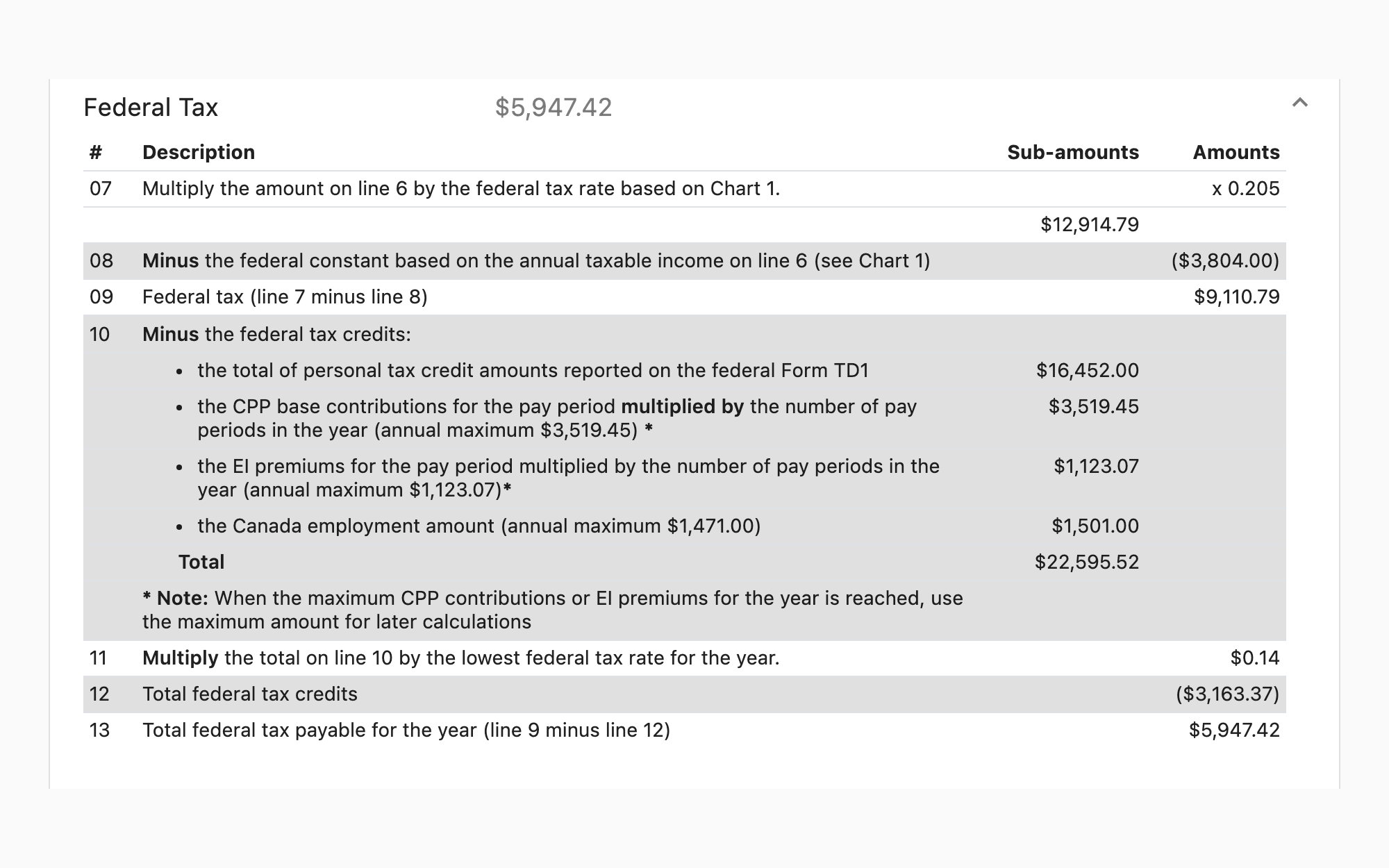
Federal tax, step by step
Annual taxable income, the bracket and rate, each credit, and the tax payable for the year before it is divided across the periods.
Provincial tax, step by step
The same treatment for the province, including the surtax, health premium, tax reduction and supplemental credit where the region has one.
Contributions and premiums
CPP, the second additional CPP contribution, and EI for the period, each shown against its annual maximum.
Every intermediate figure
Not just the totals. Each line carries the note explaining what it is, so a result you did not expect can be traced back to the step that produced it.