
Bookkeeping, without the busywork
Upload what the bank sends, keep the books coded to GIFI, plan the year ahead against them and file the return, without leaving AuraTax.
Bookkeeping features
From a stack of statements to a closed set of books
Upload what your bank sends you, check what comes back, and your books are done — coded and ready to file.
Upload a statement, get transactions
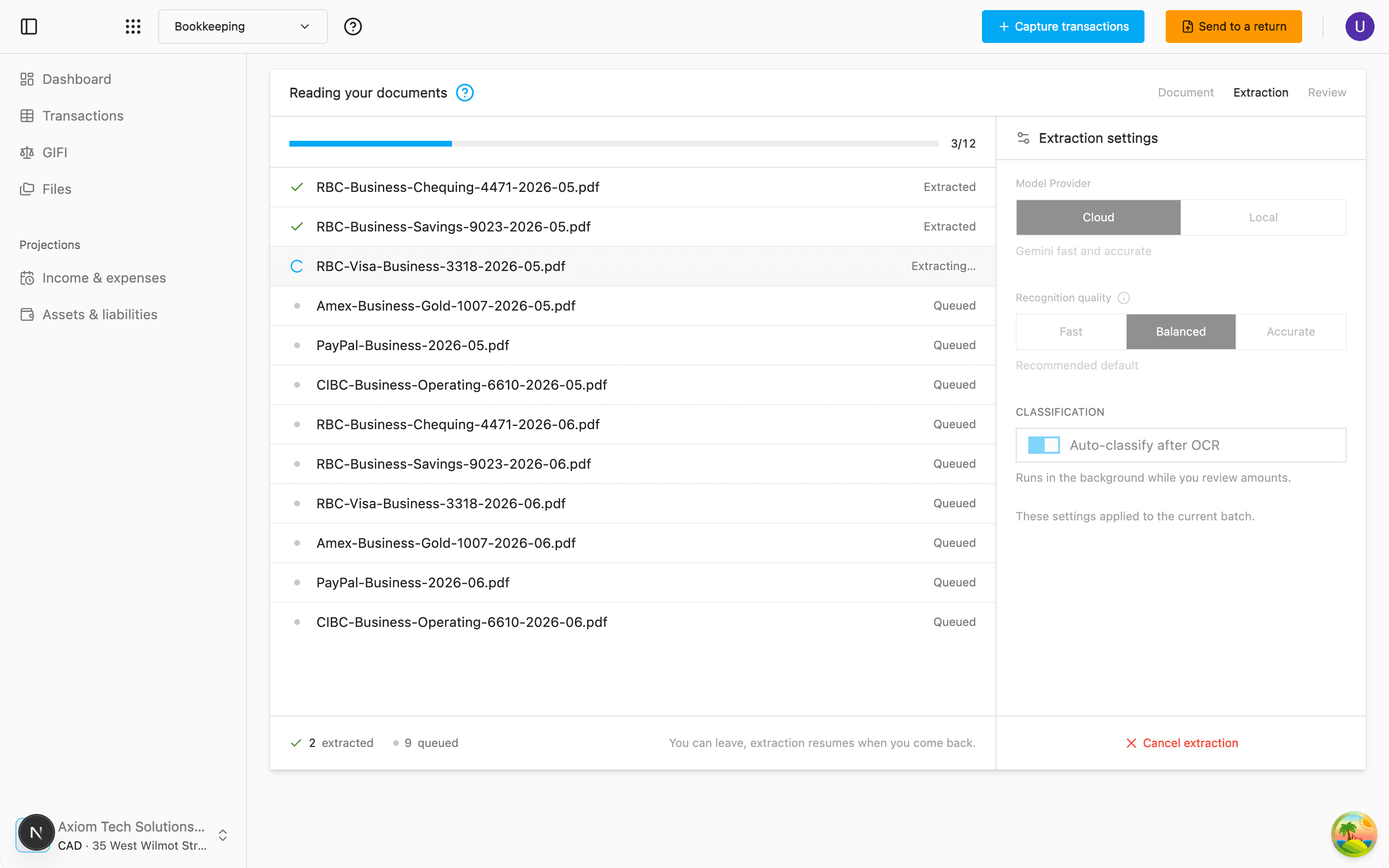
Drop in a bank statement or a receipt and it is read for you — date, description and amount, line after line, no typing.
Queue a whole batch at once and watch each document work through. Pick the reading quality that suits the file: Fast for clean exports, Balanced for everyday use, Accurate for dense or badly scanned pages. The bank account or card a statement belongs to is recognised on the way in — a new one is created and assigned on the spot — and the balances it prints are kept.
Coded to GIFI on the way in
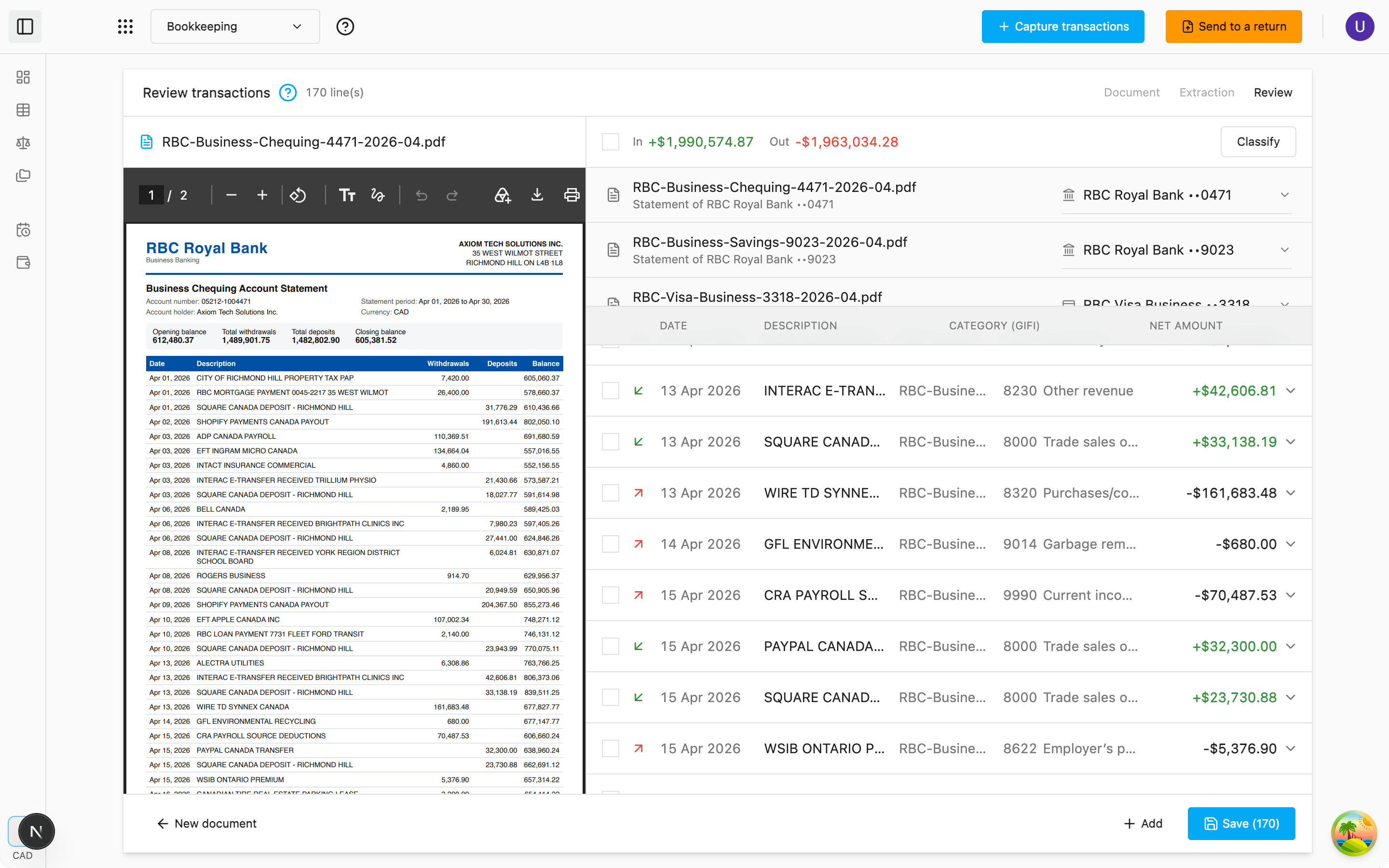
Every transaction comes back with a GIFI code already chosen, drawn from the full chart of the CRA's RC4088 guide — 380 codes across income and expenses.
A code that does not belong on that kind of transaction is never applied: it falls back to the generic income or expense code instead, so nothing lands somewhere it cannot go. Changed your mind later? Classify again what is on screen and tick the changes you accept, or set one category on the whole filtered view.
Nothing is saved until you have looked
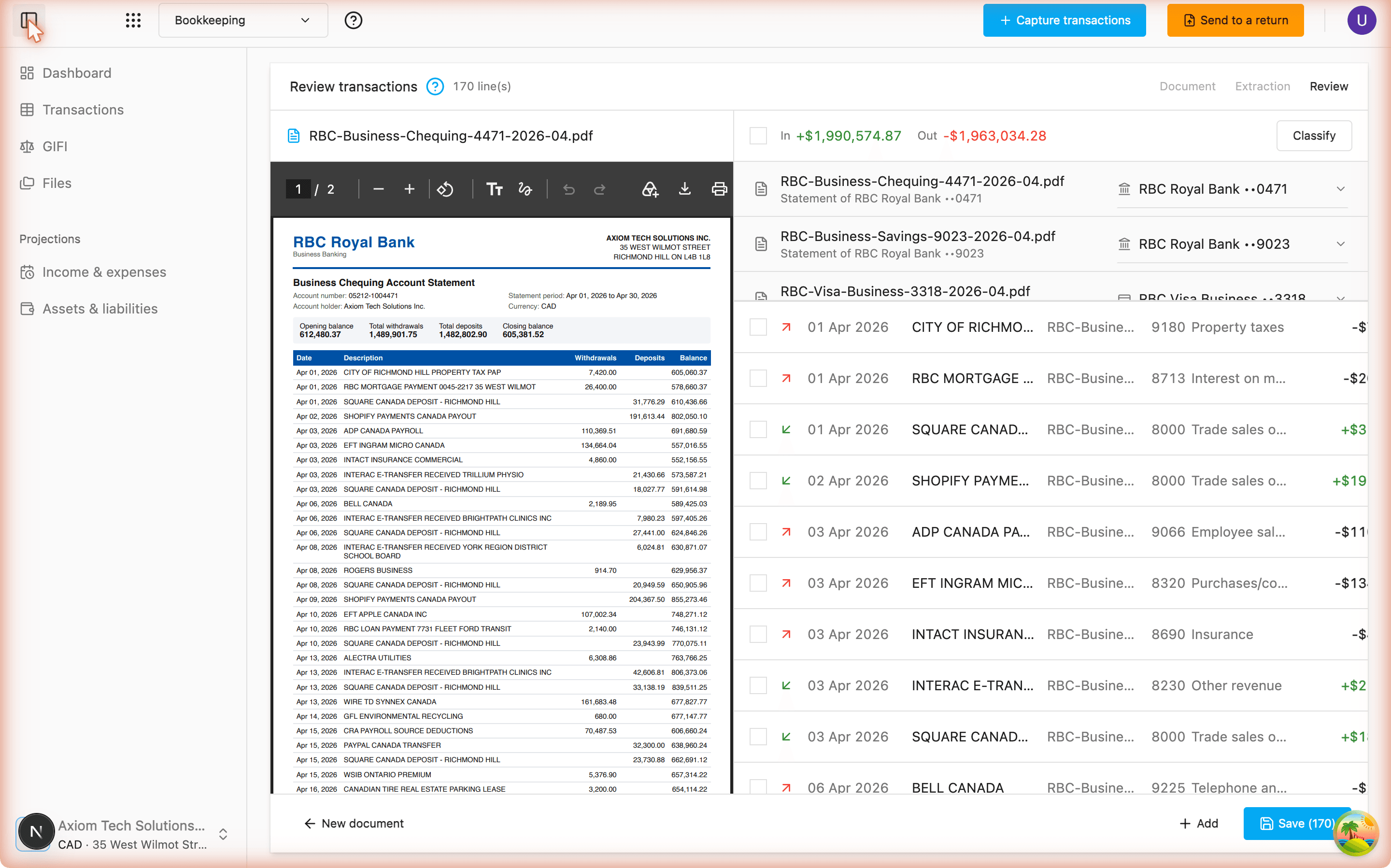
Read every transaction next to the page it came from, correct what needs correcting, and only then commit the batch.
A diagnostics panel points at the lines worth a second look, failed documents can be retried on their own, and a recap tells you what went in and what was skipped.
A register you can actually work in
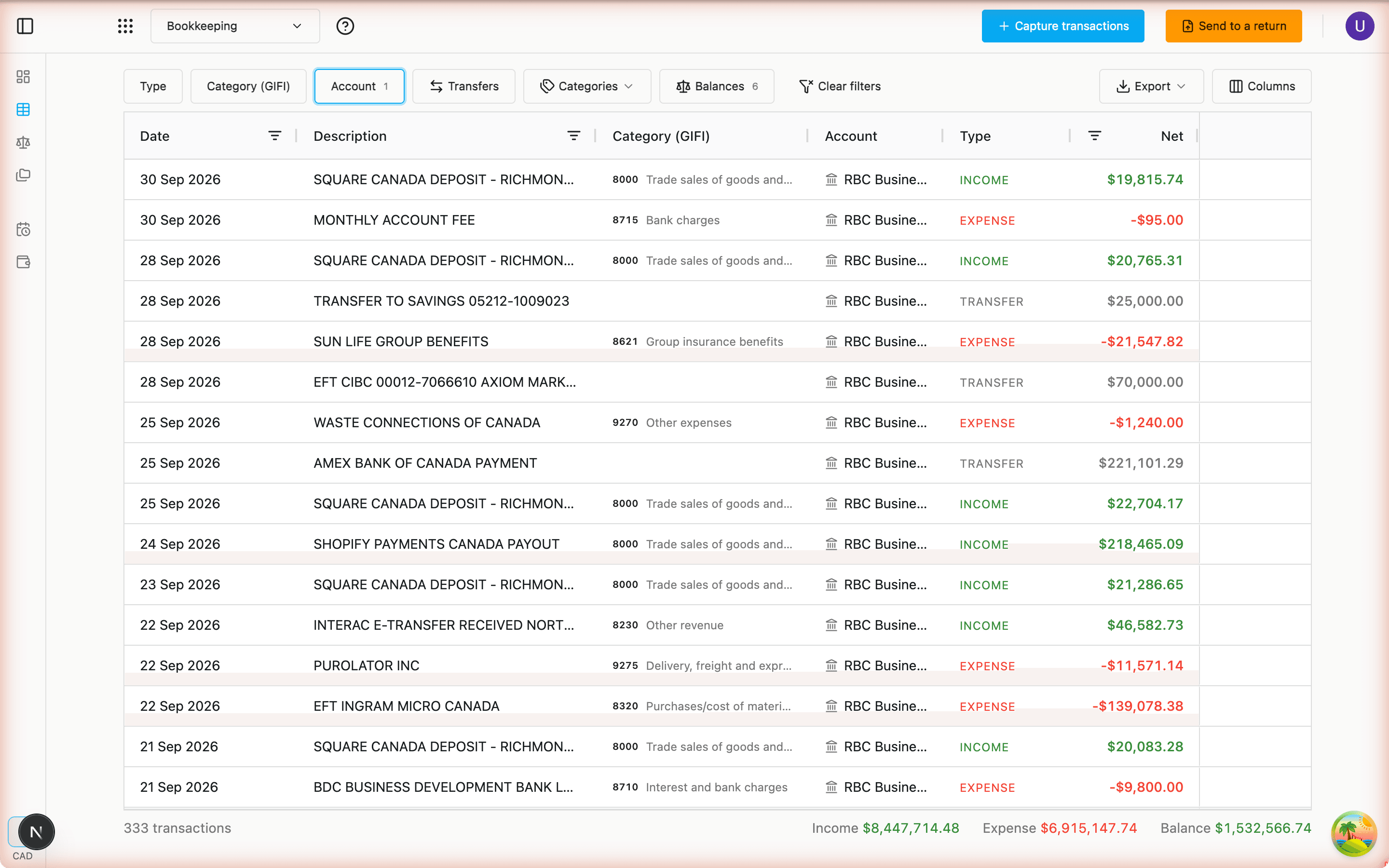
All your transactions in one grid — sort, filter by date, type or code, and edit in place without opening a form.
A running total follows along at the foot of the table, the whole register exports to Excel with its GIFI summary alongside, and a transaction becomes a planned entry of your projections in a click. Prefer to type them in yourself? Manual entry is a toggle away.
Money moved between your accounts counts once
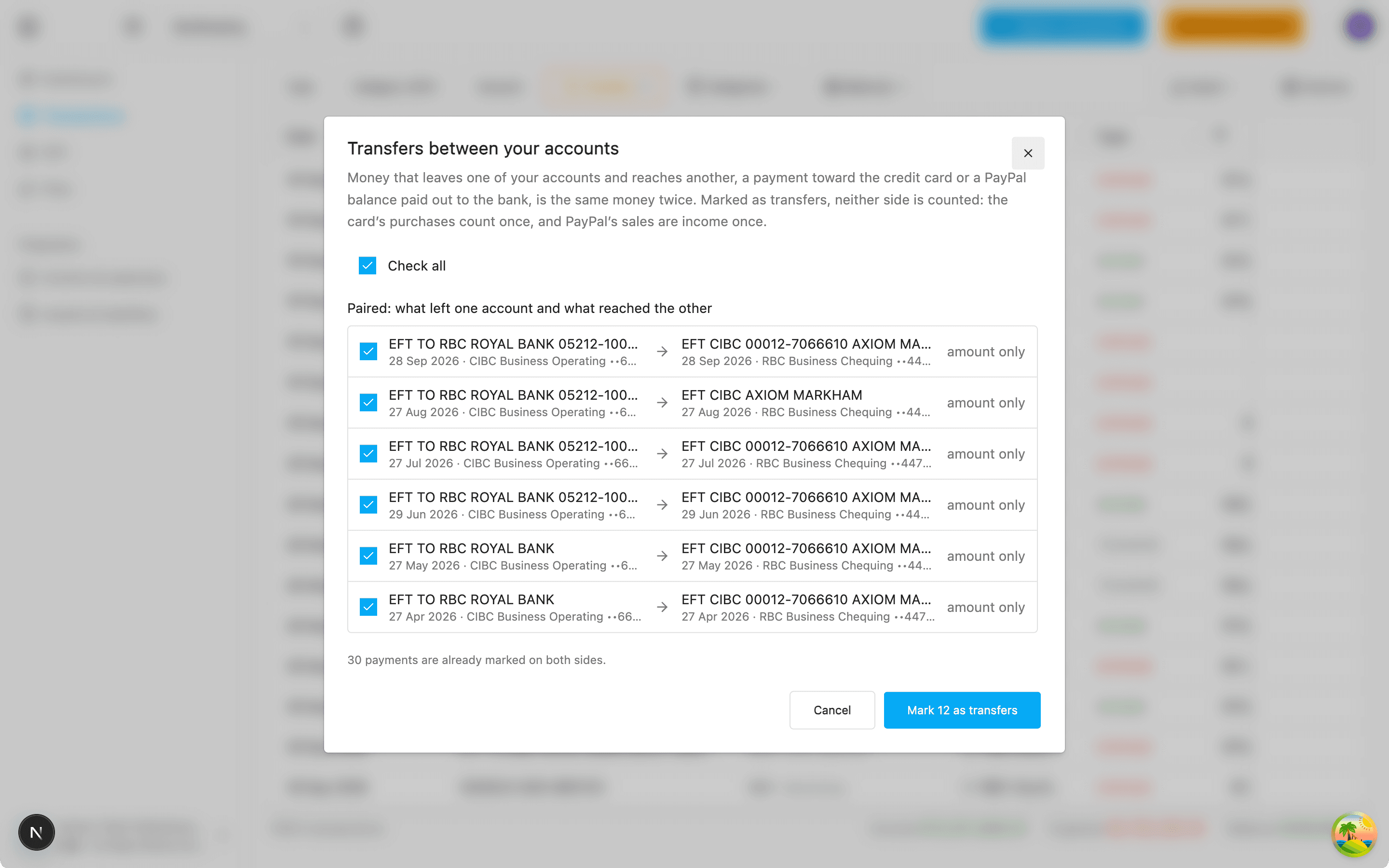
A card paid off from the bank, a PayPal balance paid out: the same money leaves one account and reaches another. Bookkeeping pairs the two sides and marks them as transfers, so neither is counted as income or as an expense.
A payment that says what it is — Transfer to credit card — is marked on its own, its fee kept as a bank charge; one matched on its amount alone waits for your tick, with a Check all for the batch. Balances shows what each account came to on the last statement captured.
GIFI ledger, with the detail behind it
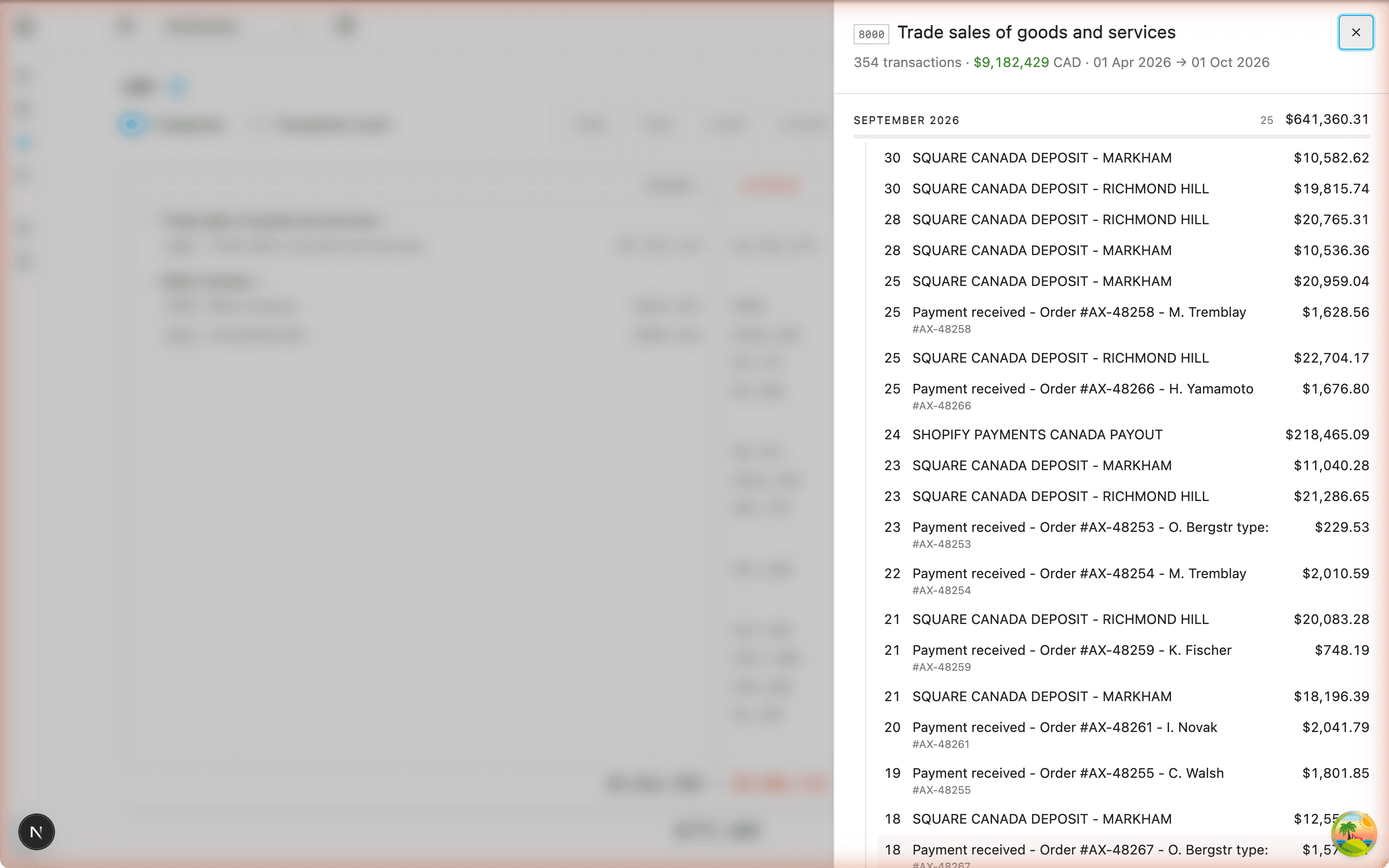
Totals per GIFI code for the period, grouped under the lines of the return the way the RC4088 guide lays them out — then click a line to see exactly which transactions make it up.
Export the GIFI figures when you are ready to file.
A plan that reads from the books
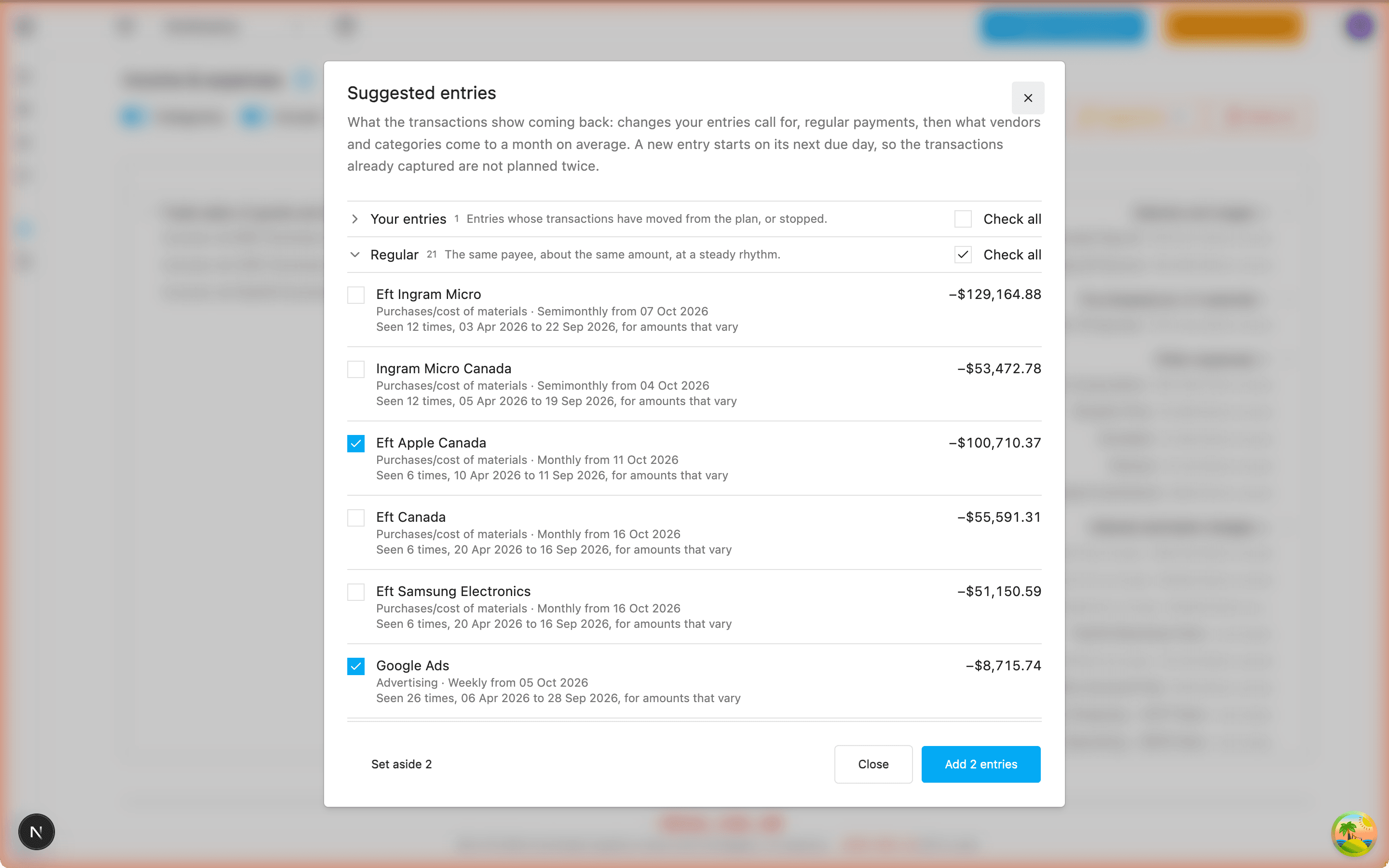
Plan the rent, the salaries, the sales — each with its amount and its rhythm — and the suggestions come from the transactions themselves: what repeats, what a vendor comes to a month, what is left of a category.
Turn Actuals on and each entry shows what its transactions came to a month beside the plan; one that drifts, or stops, is flagged for review. Entries sit under the GIFI lines of the return, with a total per line.
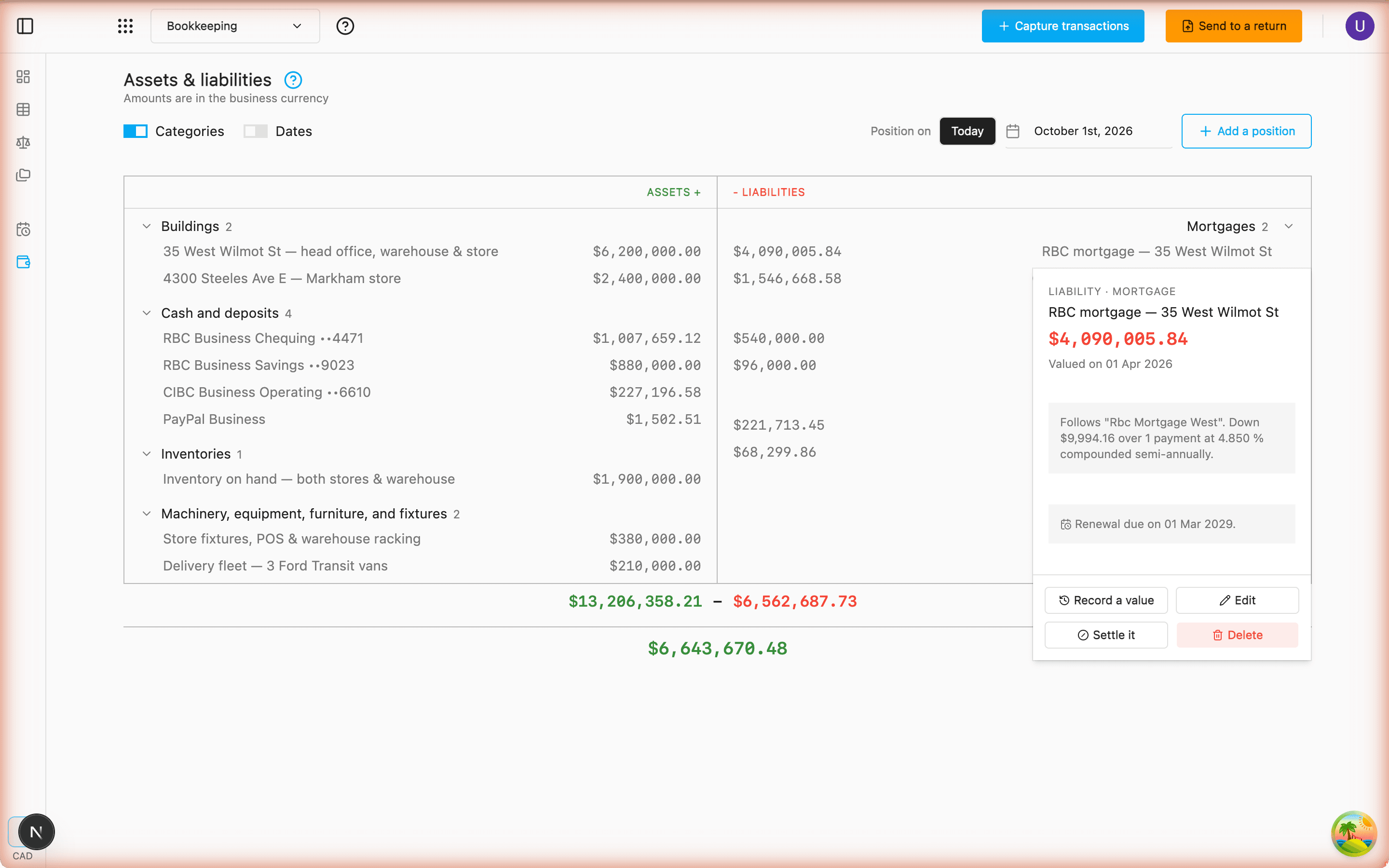
Assets and liabilities, on any day
Record what the business holds and owes — a van, a loan, the bank accounts and cards themselves — and read the position on today's date or any other, each line under its balance-sheet GIFI item.
A loan or a mortgage repaid at a rate, with its compounding and maturity, or by a fixed principal share, splits each payment into principal and interest on its own. An overdrawn account is carried on the other side of the sheet as a bank overdraft, a card in credit as an asset. Revalue a line, dispose of it or settle it when the day comes.
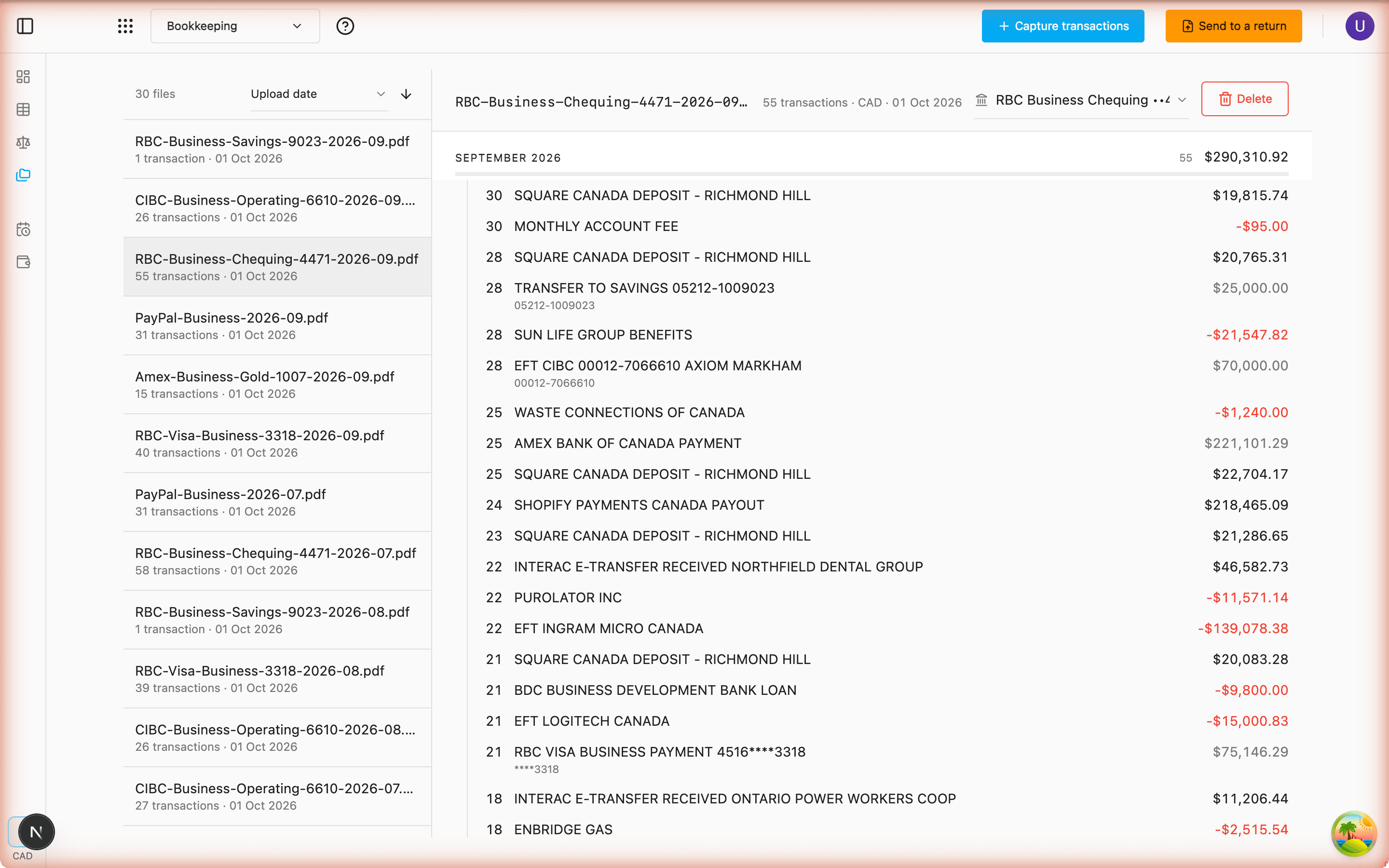
Every document, kept
The statements and receipts you uploaded stay on file, each one showing how many transactions came out of it.
Sort by name, by date added or by transaction count, open one to see its lines, and remove it when it is no longer needed.
Your books, read where you choose
Documents are read by a model — and you decide which one, per upload.
Cloud
Fast and accurate, powered by Gemini.
The default. Best when you want the quickest turnaround on a large batch and the document holds nothing you would not send to a service provider.
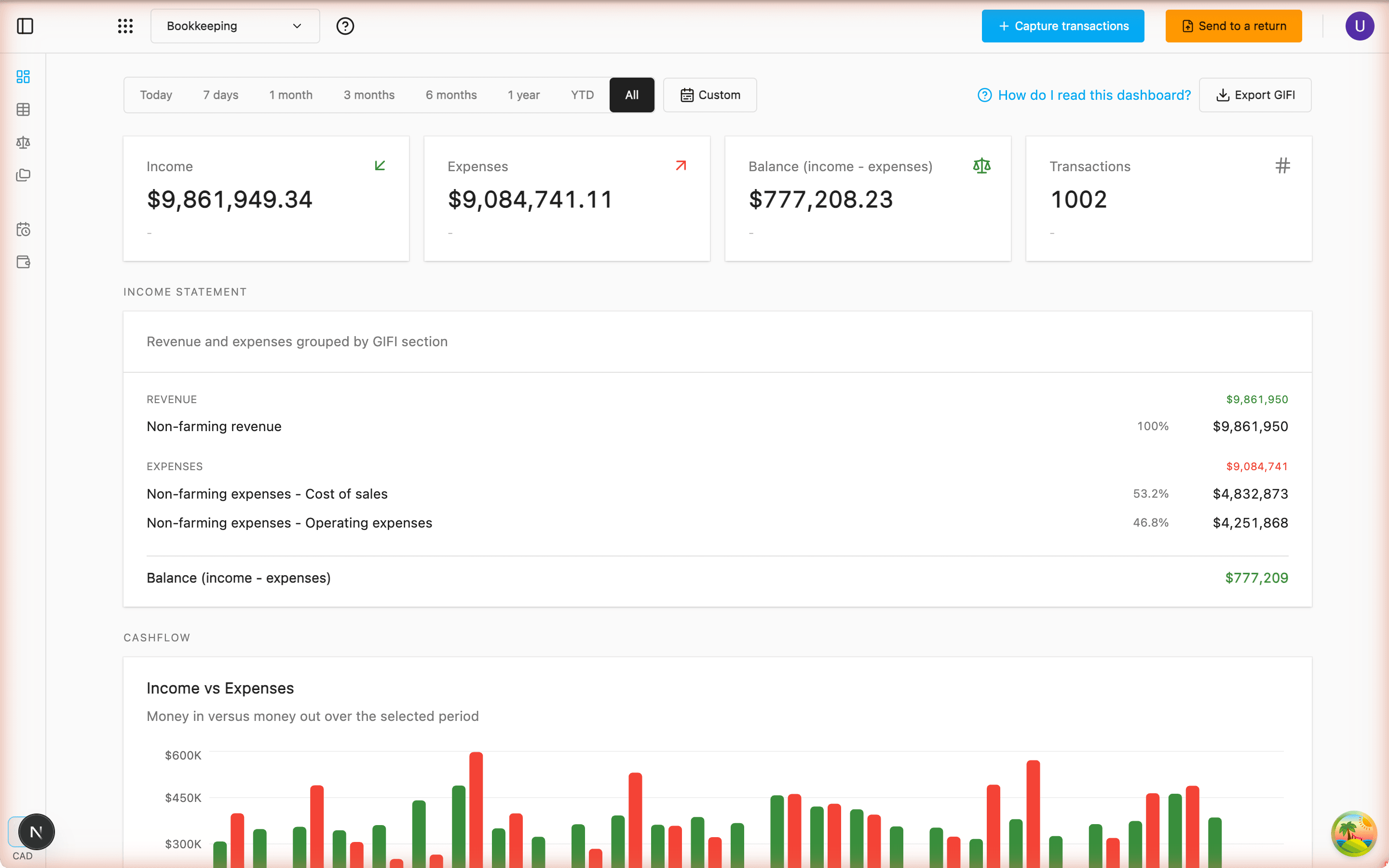
Where the money went, at a glance
Open the dashboard and the period is already totalled, each figure set against the one before it.
Cash flow over time and a breakdown by category sit underneath, with recent activity beside them. Choose the window, and the day, week or month grouping follows.
- Today
- 7 days
- 1 month
- 3 months
- 6 months
- 1 year
- YTD
- All
Then file from the same books
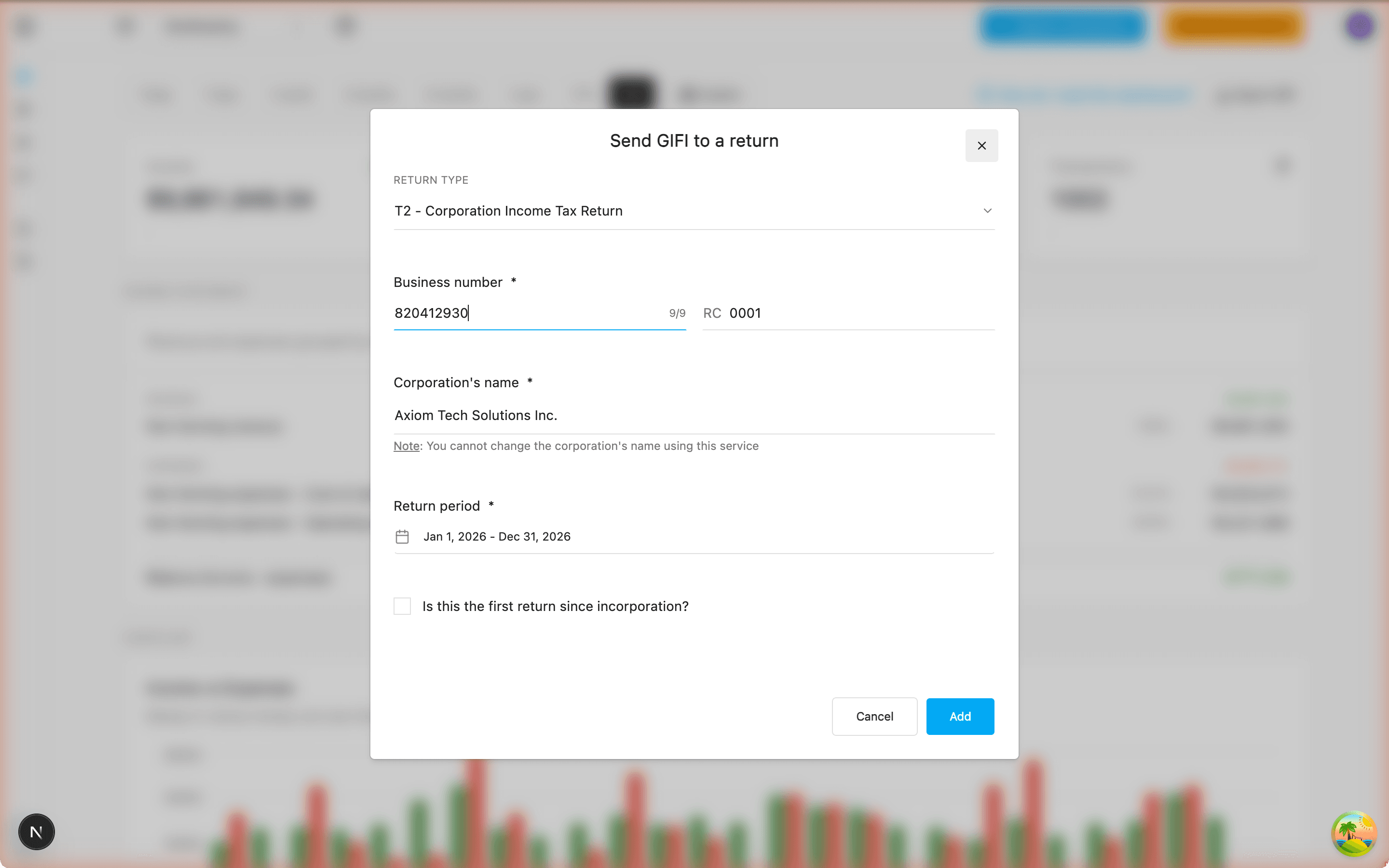
Your books are not a detour before the return — they are where its figures come from. One dialog turns the period you just closed into a T2 or CO-17, already filled in.
T2 or CO-17, without leaving
Corporation name, business number, program account, period and currency — plus the Quebec enterprise number for a CO-17. Both numbers are checked before anything is sent.
The period, totalled into GIFI
Every transaction in that period and currency is totalled per GIFI code — transfers between your accounts left out — and only the non-zero lines travel. Nothing booked for the period? It says so and creates no return.
It opens already filled in
The figures are handed to AuraTax as a draft return, which opens in a new tab with the GIFI lines in place — ready to work on, not ready to re-type.
One account throughout
The same AuraTax sign-in covers bookkeeping, payroll and tax preparation.