

Payroll, without the paperwork
Pay your team, track their time, keep their records and know what you owe the government, all from one place built into AuraTax.
Payroll features
Everything you need to run payroll
From employee records to paystubs, run every step of your payroll without leaving AuraTax.
Employee & employer records
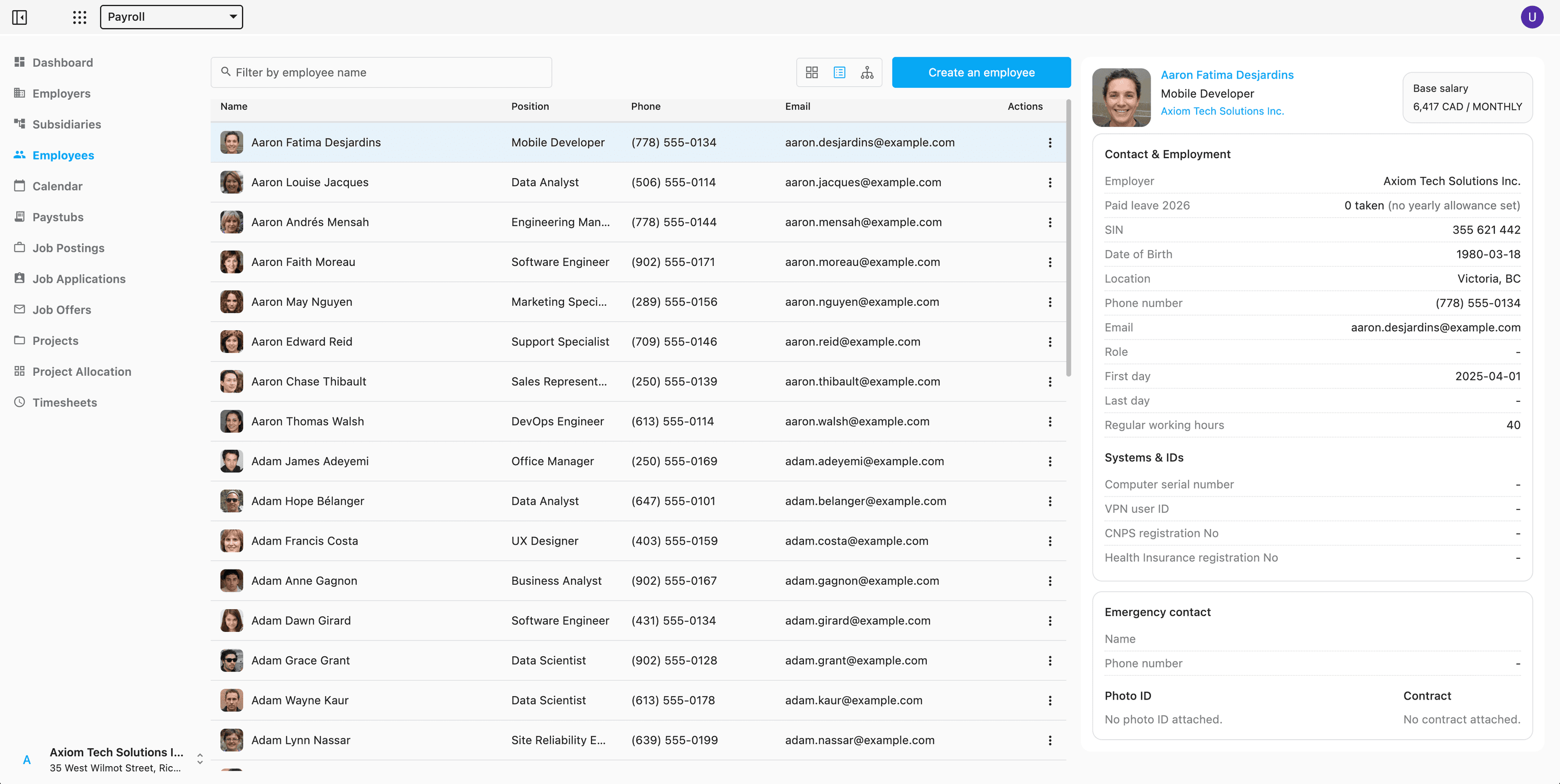
Keep every profile in one place — contact details, role, salary and pay frequency, hire date, emergency contact, and the social insurance number for the statements you file.
Attach the contract, the ID and a photo to the profile, and say who reports to whom: that chart decides what each manager sees. The company logo and branding set on the employer carry through to paystubs and the emails AuraTax sends on your behalf, and an employer with the same business number in the same country is never registered twice.
Timesheets
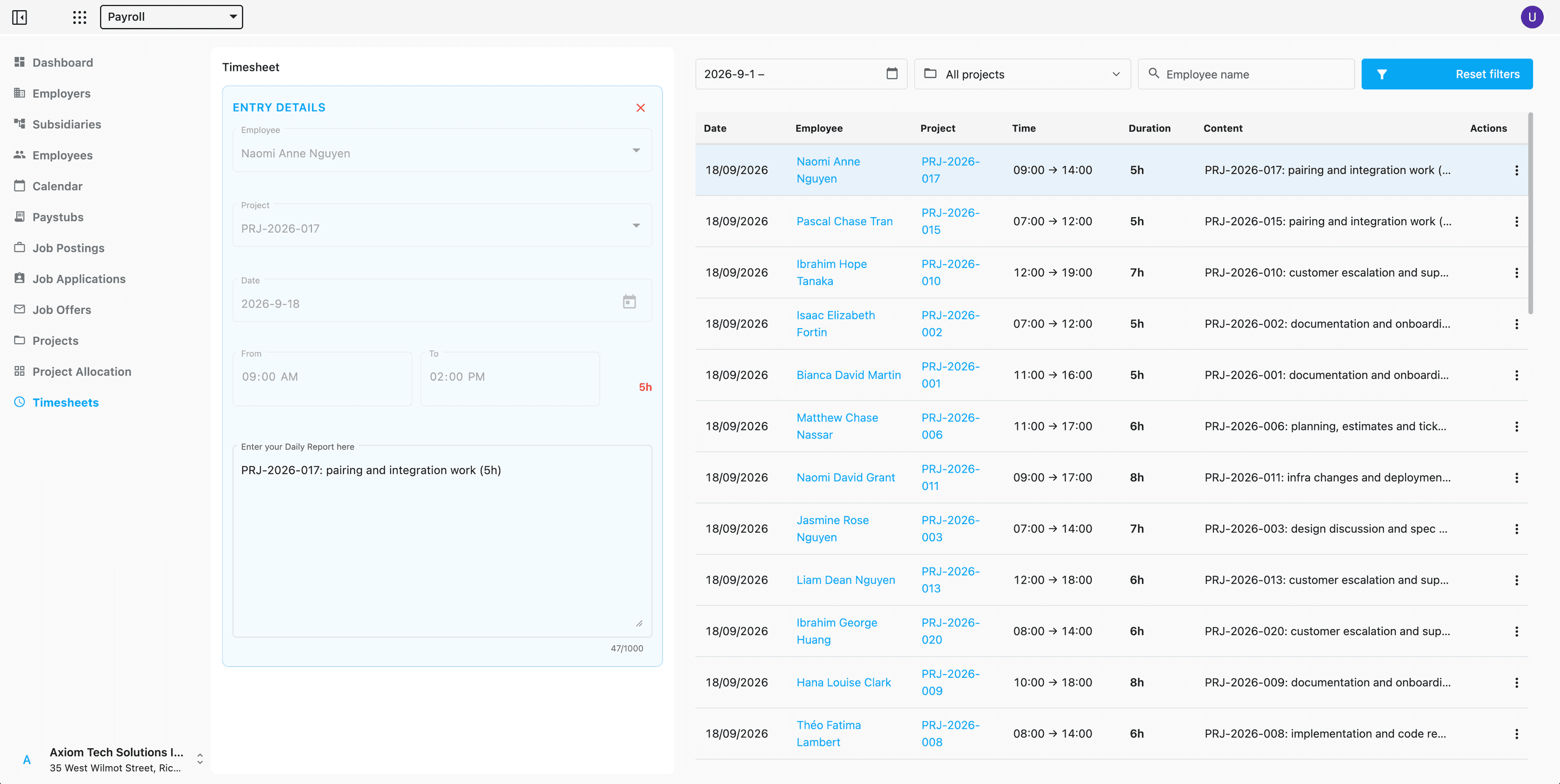
Employees log their hours against a project, with a searchable employee picker and a calendar-aware entry form that adds up the day as it is typed.
Filter the full log by date range, project or employee name.
Calendar
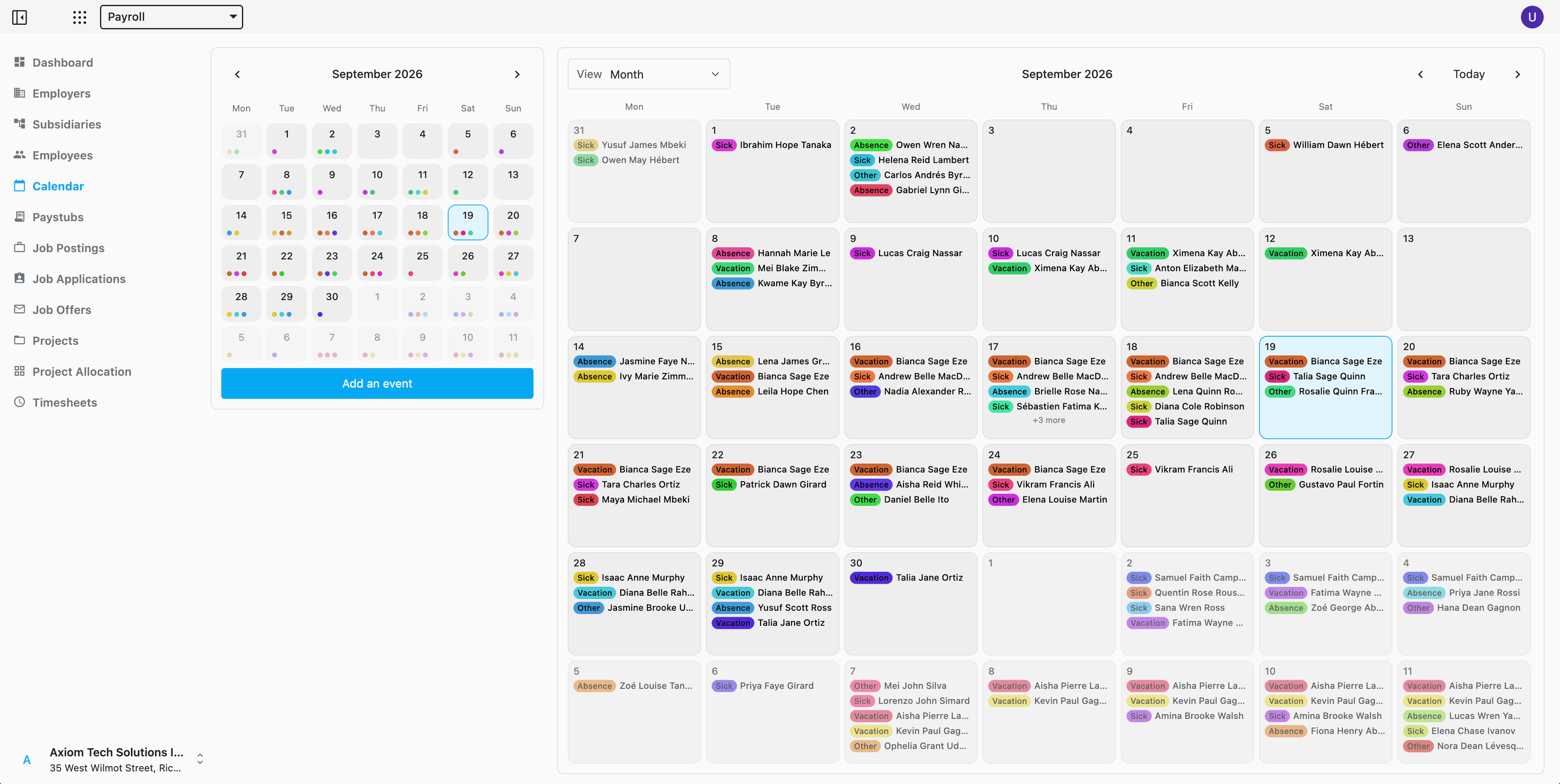
Schedule shifts and events and keep the whole team in sync, with absences, sick days and vacation each marked for what they are.
Switch between day, week, month and year views. Statutory holidays are already on it.
Paystubs
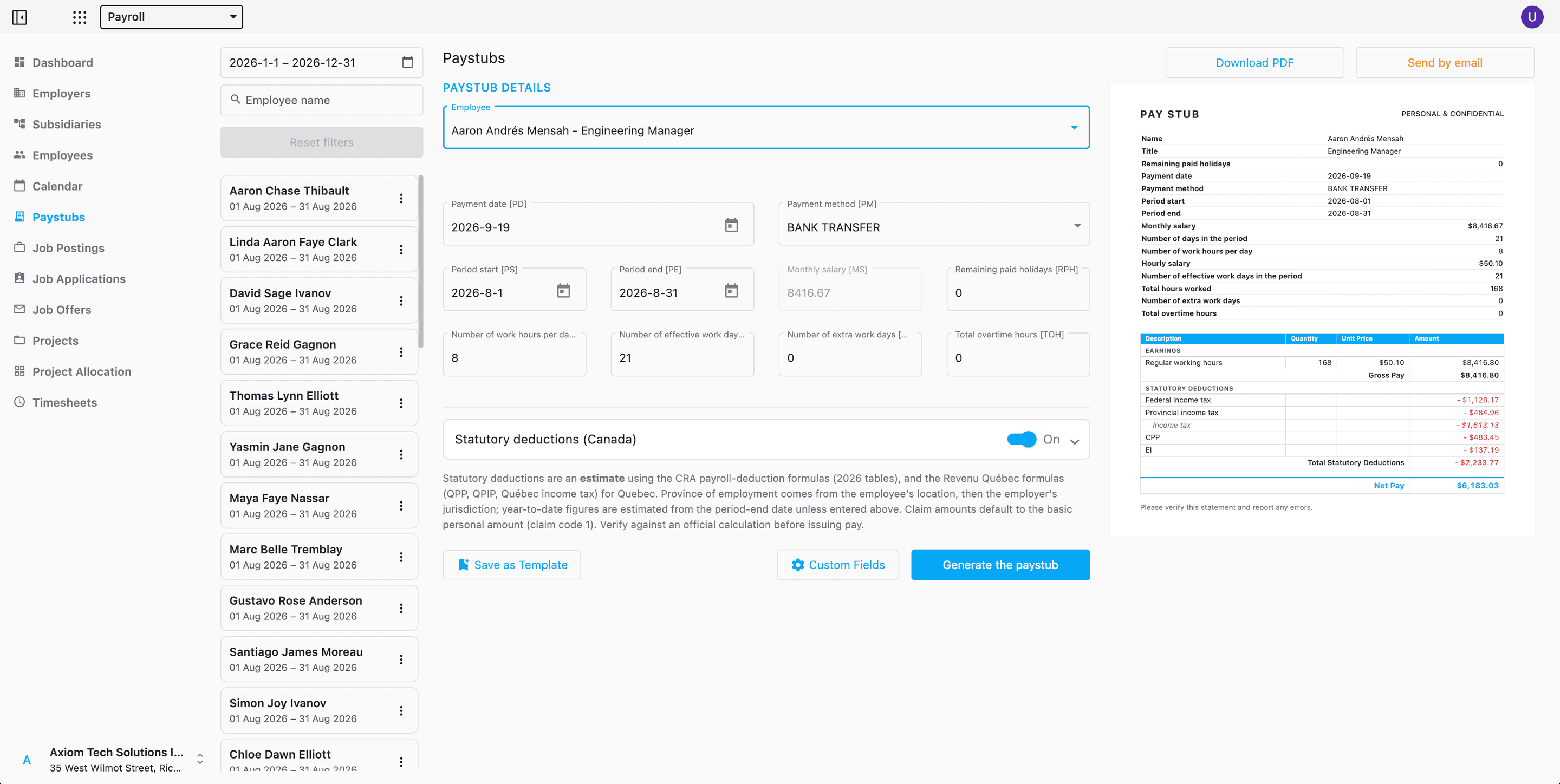
Build a paystub from an employee's salary and hours, preview it as it will be received, then download the PDF — laid out for A4 and US Letter alike — or email it straight to them.
Statutory deductions are worked out for you with the CRA and Revenu Québec formulas — the same engine as the deduction calculator. Add lines of your own — a bonus, union dues, parking — write one as a formula over the others, and keep the set as a template for the next run. Employees find every stub waiting in their own My Paystubs view.
Remittances
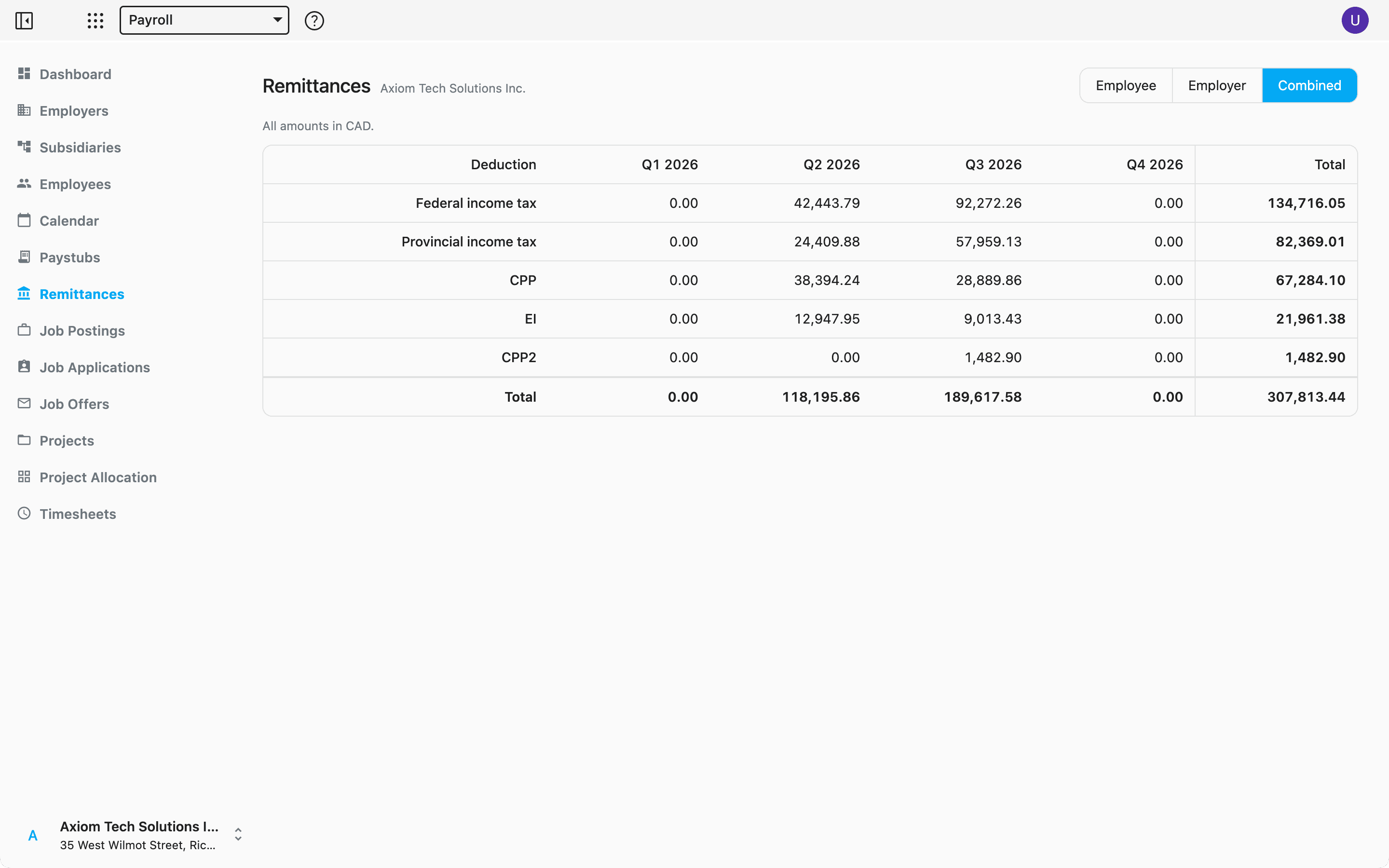
What you owe the CRA and Revenu Québec, by quarter: every statutory deduction of every paystub, totalled over a rolling year, with what was withheld from employees and what the employer adds on top.
Switch between Employee, Employer and Combined. Each deduction is one line carrying both sides — CPP and QPP matched one for one, EI at 1.4 times the employee premium, QPIP at its own rate. The grid says how many paystubs of the period it read, so a figure is never quietly short. Every employee has My remittances for their own.
Projects
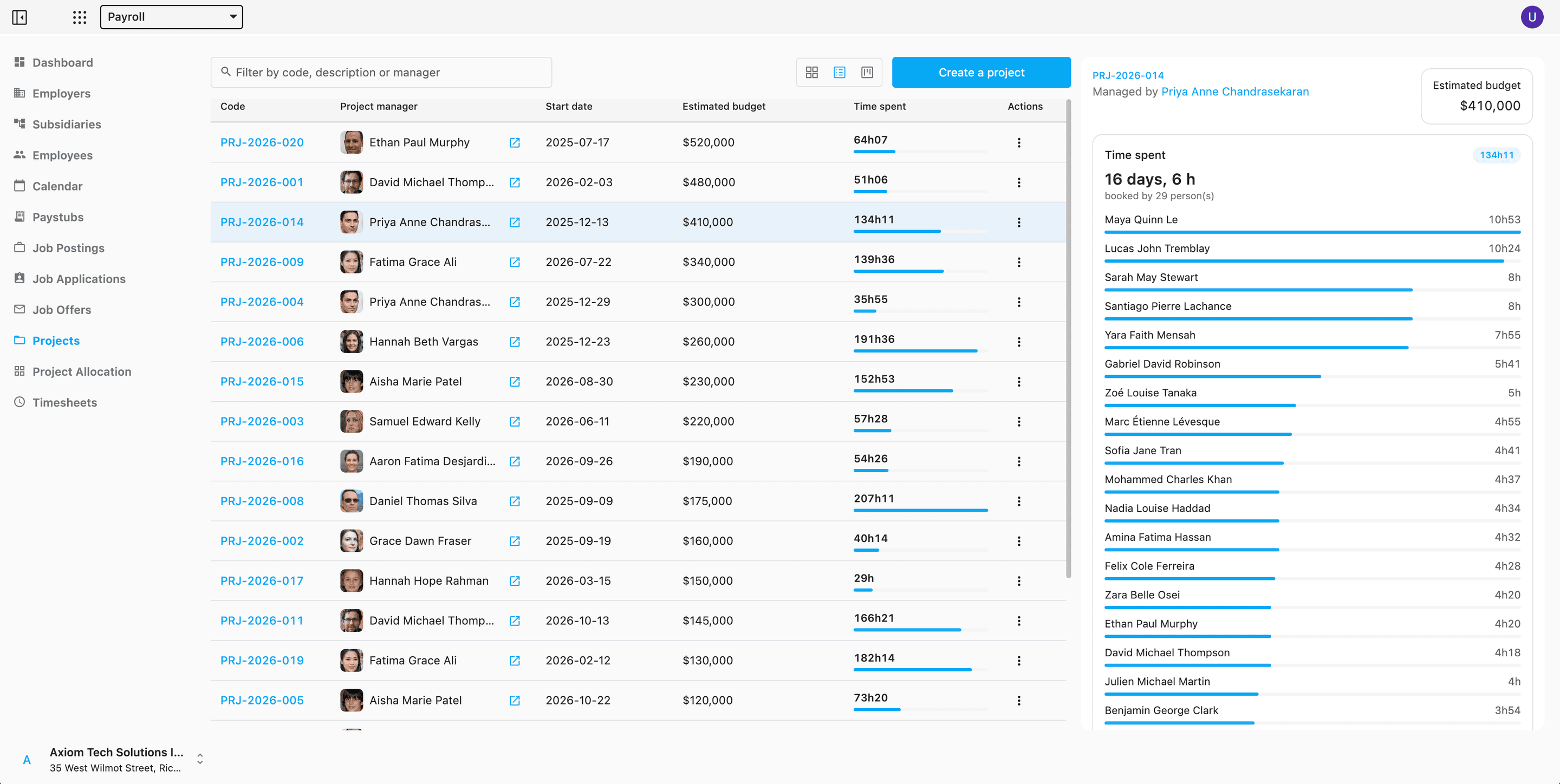
Give each project a code, a manager, a start and end date, an estimated budget in its own currency, and the deliverables expected of it.
Project codes are checked for duplicates as you save, and the time booked against each project totals up per project and per contributor.
Project allocation
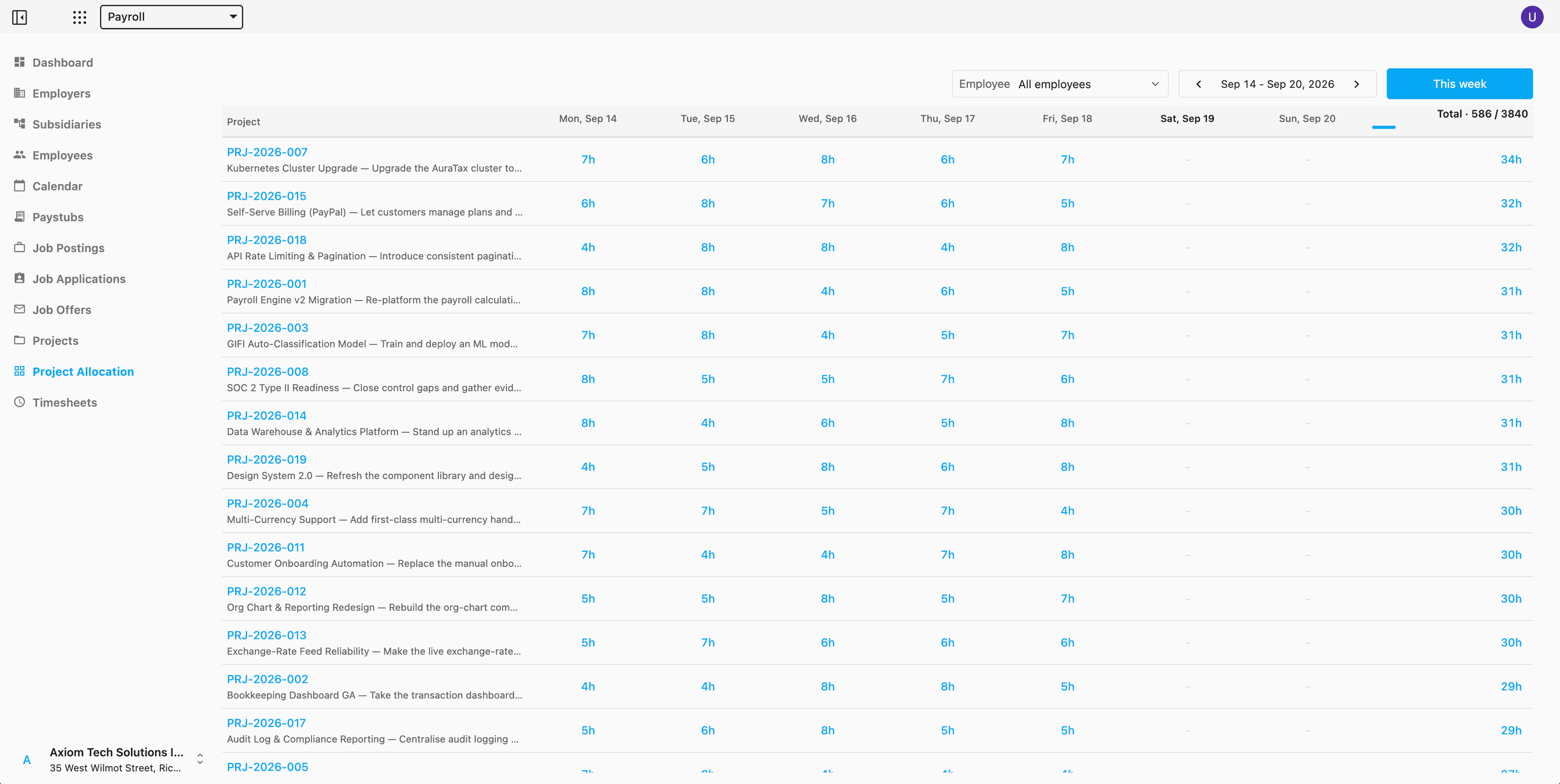
A week at a time, project by project: who booked what, and where the hours actually went.
Look at the whole company or one person, against a 40-hour weekly target. Spot a gap and click the cell — the timesheet opens on that day with the project already chosen. Managers see everyone; an employee sees their own row.
Everyone sees exactly what they should
Managers get the Dashboard, employee records, paystub administration and the employer's Remittances. Every employee gets their own Profile, My Paystubs and My remittances, scoped to what is theirs to see.
Invite colleagues per employer as owners, editors or readers — owners change who else gets in, editors change the records, readers only look. Someone who manages a branch of the organisation chart sees the people who report to them, and only their paystubs and remittances. Running more than one employer? Subsidiaries keeps them all under a single account.
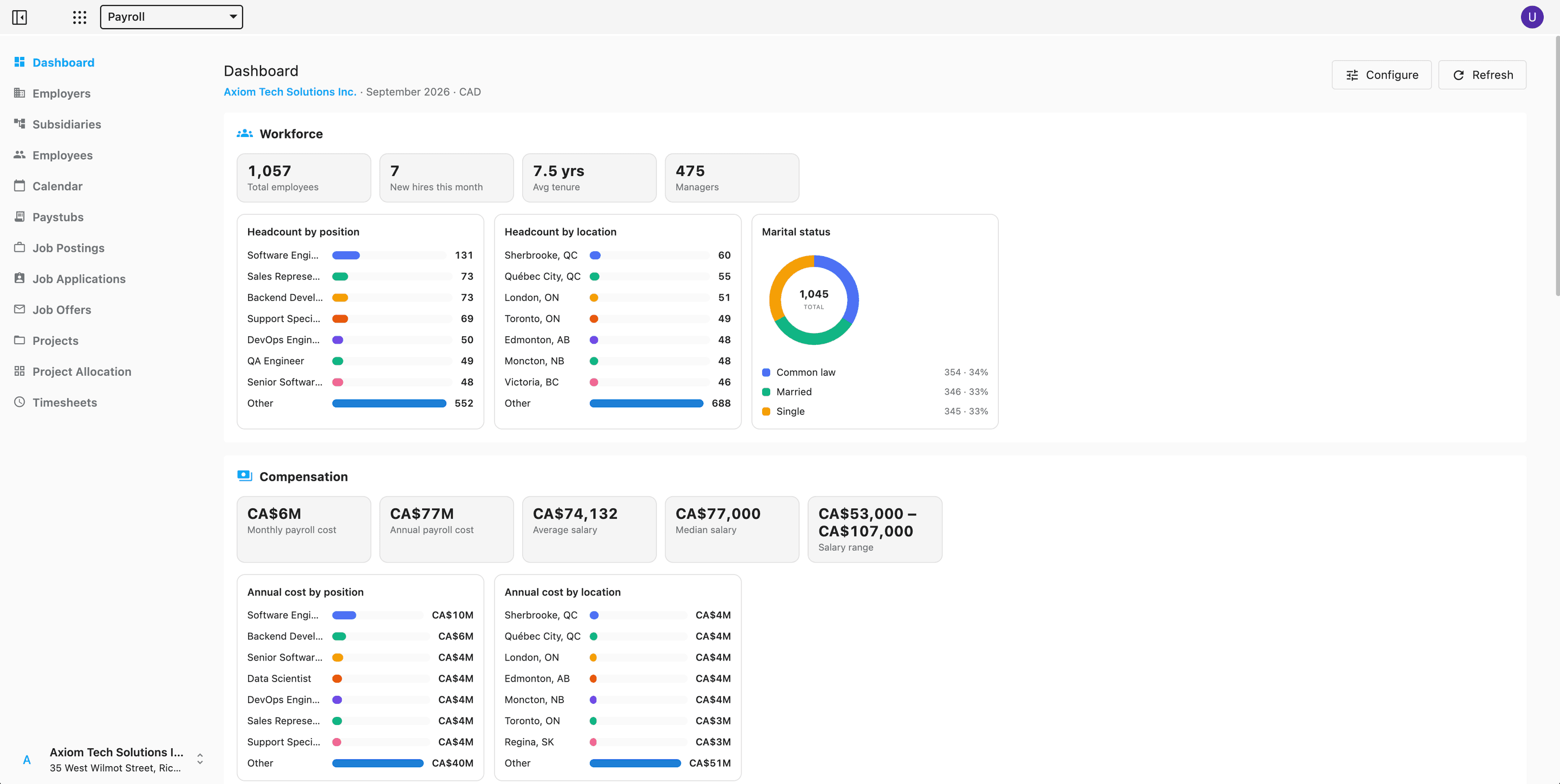
The state of your payroll, at a glance
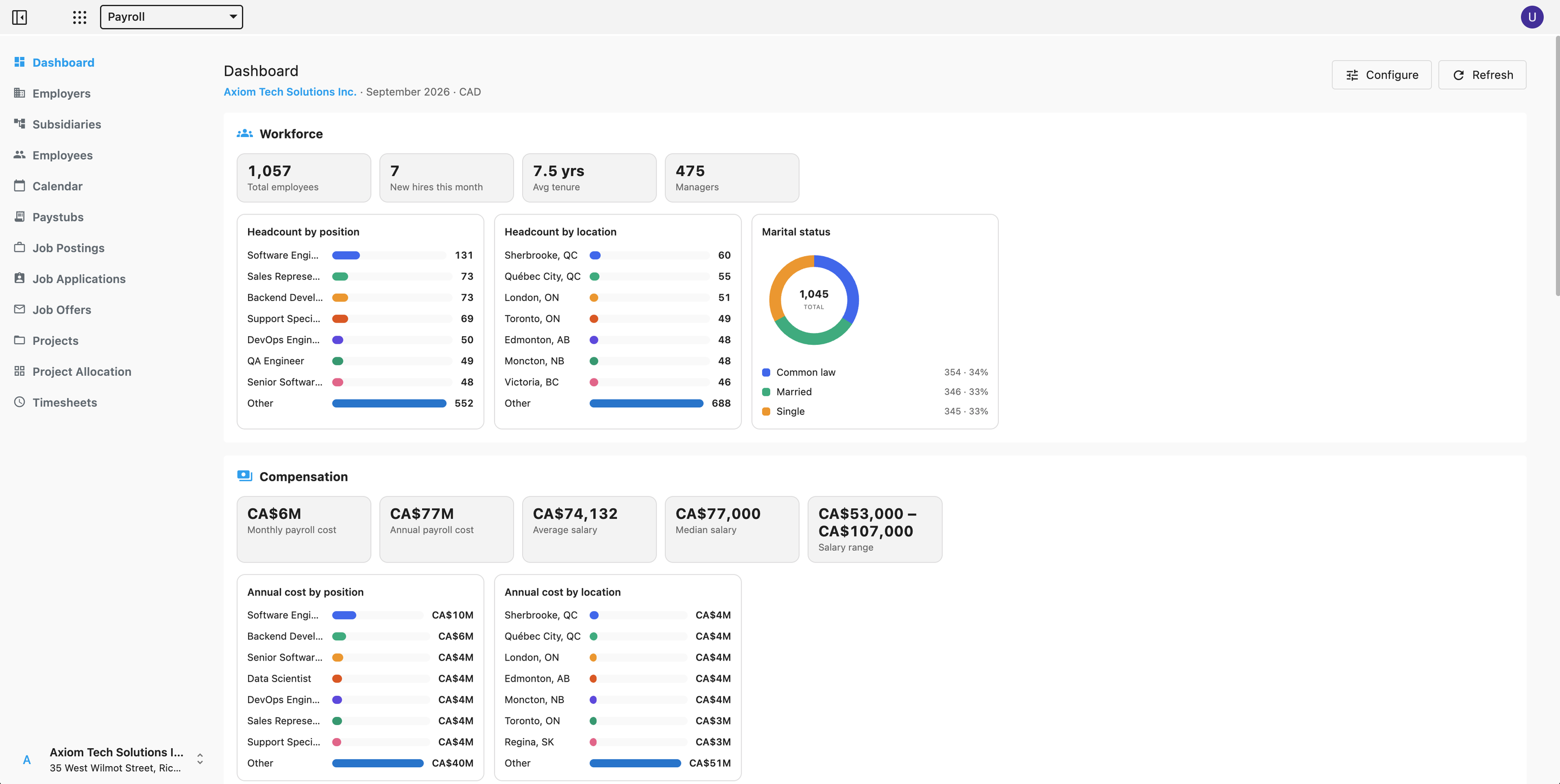
Open the Dashboard and the month is already summarized — headcount, what the pay run comes to, hours booked, and where hiring stands.
- Workforce
- Compensation
- Pay run — this month
- Time & leave
- Projects
- Recruitment
Hide the charts you do not use and the layout remembers your choice. A data-quality panel points out the records that still need filling in.
Hire, onboard, and grow your team
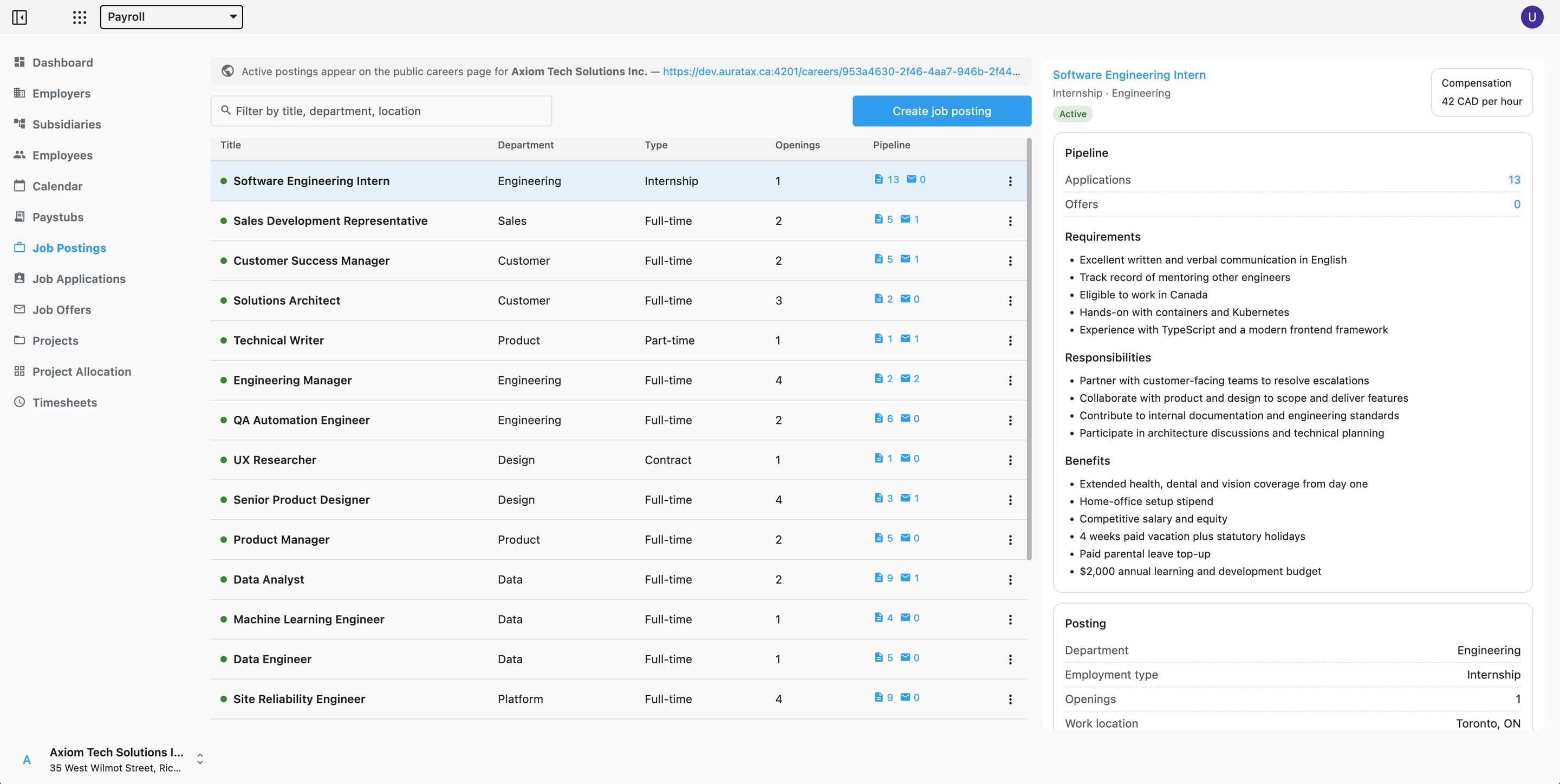
Post openings, review applications and send offers, all without leaving Payroll.
Job postings
Publish openings to a public careers page of your own, one per employer, with your branding on it.
Applications
Candidates apply straight from the careers page — no account, no sign-up.
Offers
Build the offer on the application it belongs to, then track it through to hire.
Payroll where you actually operate
Canadian payroll to the letter — and Quebec on its own terms, because it does not follow the federal formulas. Pick the employer's province, and the paystub and the remittances follow.
Canada
CPP and the second additional CPP contribution, EI, and federal and provincial income tax, for every province and territory.
Worked out with the CRA T4127 payroll-deduction formulas, following the edition in force on the pay date — including what each region does differently, from the Ontario surtax and health premium to the British Columbia tax reduction, the Alberta supplemental credit and the Yukon employment amount.
Quebec
QPP in place of CPP, QPIP premiums, EI at the Quebec rate, and provincial tax on the Revenu Québec formulas.
Not the federal calculation with a different rate: source deductions follow the TP-1015.F-V guide, and the federal side takes the 16.5% Quebec abatement, the QPP, EI and QPIP credits, and the additional QPP contributions deducted from income.